I will write a tutorial about creating realistic lasers soon.
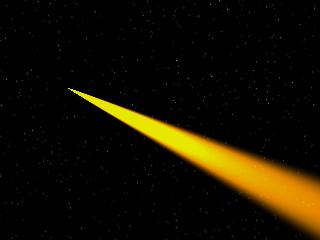
There are two type of lasers:
a) Continues Ray
b) Short laser pulses
Continues Ray (Easy way)
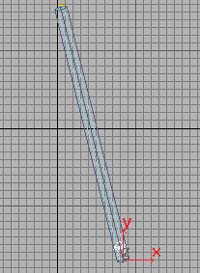
| 1. Create a Taget Directional light. Change the color to the one you want (eg orage). Change the multiplier to 5. Change the dimesion: Falloff: 8, Hotspot: 4 . Enter the following shadow settings: Shadow map, bias: 1, size: 32, smp: 1 . |
|
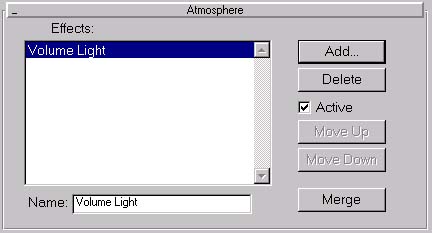
| 2. Go to the Render menu and choose environment. In atmosphere add a Volum Light. Leave the setting, only add the light to source. | |
| 3. Now it should look like this. If you want to animate it, go in the
Trackview and animate the multiplier track.
I will write a tutorial about creating realistic lasers soon. |
|
Short Laser Pulses
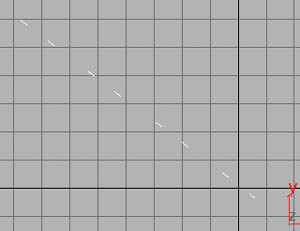
| 1. Create particle system. Change the particle count to 12-20. The speed to 150.The emitter sould be very small. The life is depending how far the target will be. |
 |
| 2. Go to the objects properties. Activate the object motion blur. Change the G-Buffer. |
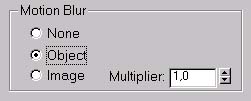 |
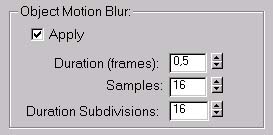
| 3. Go to the Render options and change the motion blur option to this. |
 |
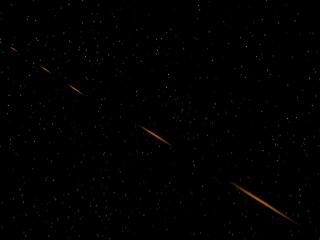
| 4. Now it should look like this. |
 |
| 5. Go to the video post. Add a scene event and the super glow filter. Change the options to those on the picture. | 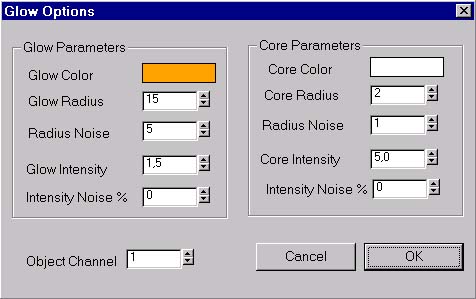 |
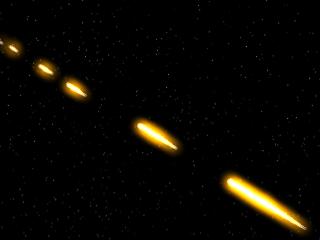
| 6. Render it. Now it should look like this. |
 |