In this tutorial you will lear how to create a realistic water surface
of lake or other not fluing water place like oceans, seas...
If nothing said, let value at default.
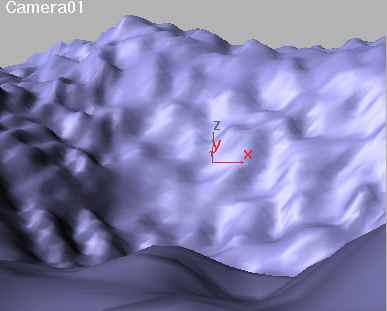
| 1. Create a landscape. You can use NURBS, Patches or special plugins.
Condition, you must create a place where it's deeper than the rest. |
 |
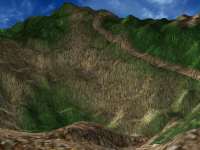
| 2. Create a material for the landscape. |
 |
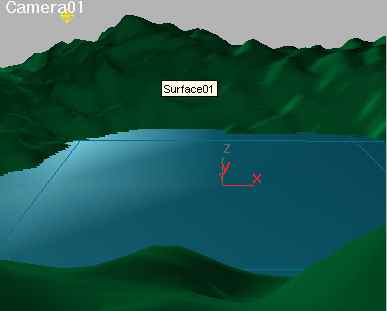
| 3. Now create a patch grid, where you want to have the lake. And also
add some omni light, one like in picture, and another behind the camera. |
 |
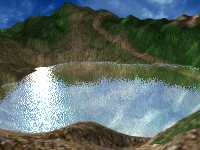
4. Now create the material for the water.
Ambient and Difuse: Black; Specular: White; Shiness: 45; Shin. Strength:
100; Oppacity: 35
Bumpmap: Amount: 50; Type: Mix
Map 1: Noise; Size: 5 [Noise 1]
Map 2: Nothing, make the color grey.
Mask: Noise; Size: 75 [Noise 2]
Refelctmap: Amount: 75; Type: Flat Mirror; Blur: 2; Disortion from
Bumpmap; Amount: 1 |
 |
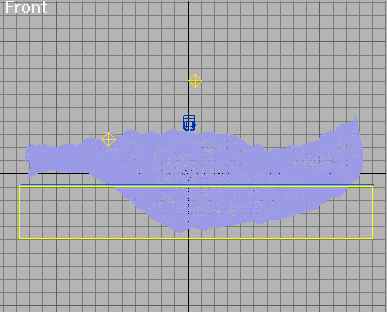
| 5. Now create a box atmospheric gizmo just under the water. |
 |
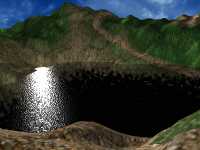
| 6. Add a volume fog to the gizmo, turn the color to black. Turn Density
to 50. |
 |
7. If you want to animate your scene, you have animate the noises:
[Noise 1]: Phase: 1 unit per second.
[Noise 2]: Phase: 0,02 unit per second |
|
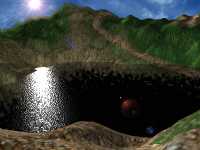
| 8. Now add a lens flare to the omni in front of the camera. |
 |